Turn TVs and Supported Screens Into Remotely Managed Advertising Displays
eHubt Screen Ads helps businesses show videos, images and scheduled promotional content on TVs or supported screens, with remote control from one simple dashboard.
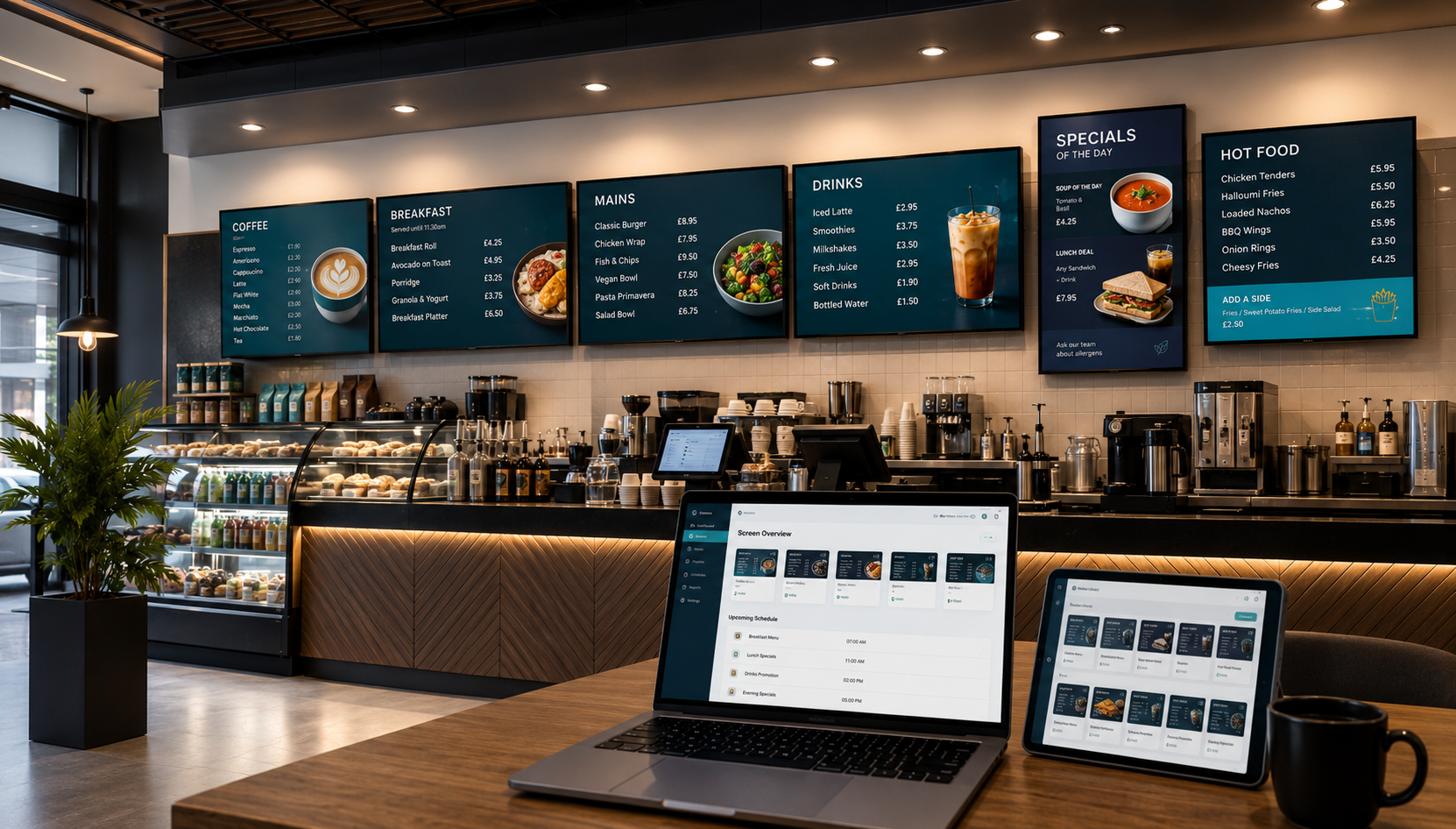
Digital signage made simple for everyday promotions
eHubt Screen Ads is designed for businesses that want to manage advertising screens, menu screens and promotional displays without manually updating every TV.
Video Promotions
Upload promotional videos and play them on selected screens for offers, product launches and customer messages.
Image Campaigns
Display posters, menu boards, announcements and brand messages as full-screen image campaigns.
Scheduled Content
Plan content by time and date, such as breakfast, lunch, dinner, weekend offers or seasonal promotions.
Remote Screen Control
Update content across one or many screens remotely, without sending files manually to each location.
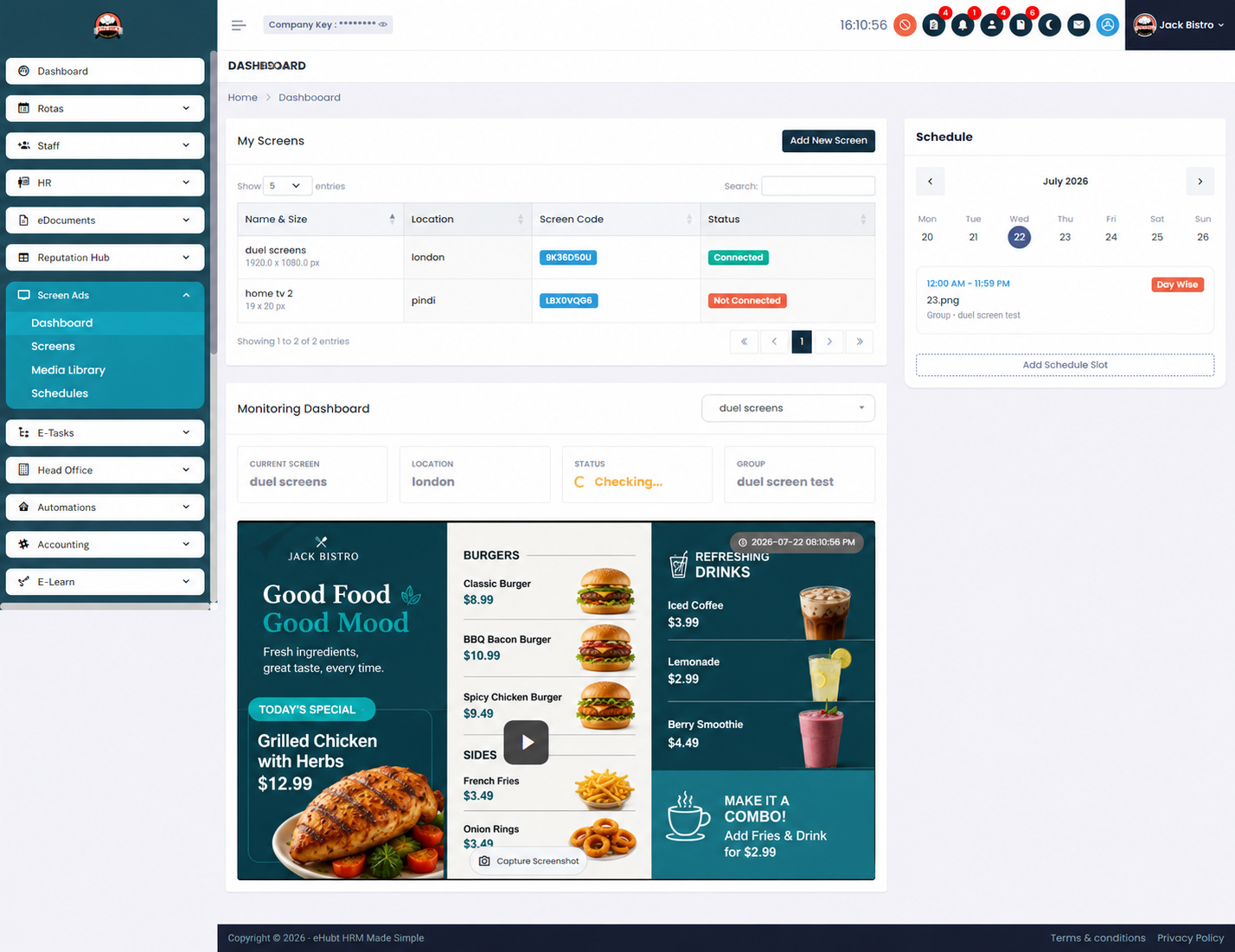
Keep every screen fresh, planned and controlled
Businesses often use TVs for menus and promotions, but content becomes outdated when screens are updated manually. eHubt Screen Ads gives you a cleaner way to plan and change content remotely.
Update content faster
Change promotions from one dashboard instead of manually updating every screen.
Control branch displays
Send different ads to different branches, screens or business areas.
Promote at the right time
Schedule offers so breakfast, lunch, dinner and evening promotions appear automatically.
Improve customer attention
Use bright, moving visuals to highlight offers, campaigns and customer messages.
From upload to screen in a simple workflow
eHubt Screen Ads helps managers upload content, choose screens, schedule campaigns and keep displays updated remotely.
Connect Screens
Install the Screen Ads app on supported screens or Android TV devices.
Upload Content
Add videos, images, menu graphics, product ads or promotional posters.
Create Schedule
Select display times, dates, playlists, branches and campaign rules.
Publish Remotely
Push content to selected screens and update campaigns without visiting the location.
Use Screen Ads across restaurants, retail and service businesses
Digital signage can support sales, customer communication, menu updates and internal announcements.
Restaurants & Cafes
Show menus, food videos, lunch offers, desserts, drinks and limited-time promotions.
Retail Stores
Promote products, discounts, seasonal campaigns and in-store announcements.
Hotels & Hospitality
Display welcome messages, breakfast times, events, room service offers and guest information.
Clinics & Reception
Use waiting-room screens for announcements, services, health messages and appointment guidance.
Office Screens
Show internal messages, visitor information, company news and meeting area content.
Multi-Branch Groups
Manage screen content across several branches while keeping brand messaging consistent.
Available for supported Android TV and signage devices
eHubt Screen Ads can be used with supported screens or TV devices that allow the app to run reliably for digital signage. Contact us for setup guidance before ordering hardware.
Ready to control your advertising screens remotely?
Use eHubt Screen Ads to manage videos, images, playlists and scheduled promotions across your TVs and supported display screens.
Included in Screen Ads
- ✓ Video and image media campaigns
- ✓ Scheduled promotional content
- ✓ Remote screen and branch control
- ✓ Playlist-style display management
- ✓ Suitable for restaurants, retail, reception and multi-branch businesses
- ✓ Google Play app for supported devices